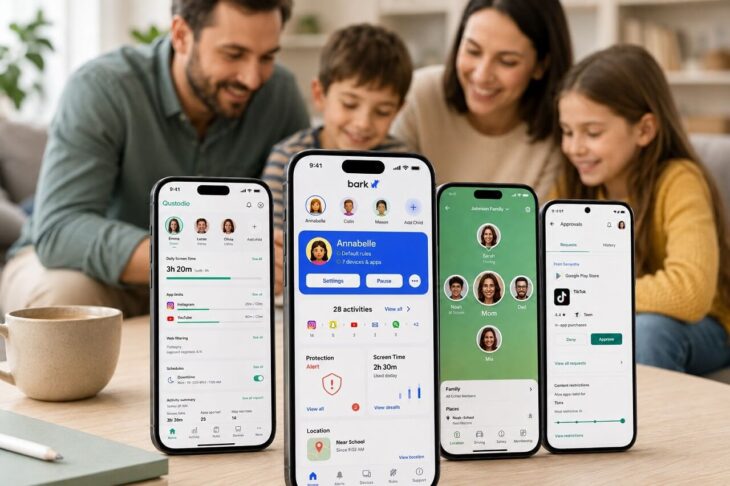
Parents need tools that can reduce risks such as cyberbullying, inappropriate content, predatory contact, and excessive screen time without turning every online interaction into surveillance.
Digital monitoring is already common among families. Current parent behavior shows how frequently location and messaging activity are checked:
- 86% of parents check their children’s location.
- 77% monitor their children’s text messages.
Privacy-conscious parental controls aim for a narrower approach.
Useful tools alert parents to real safety concerns, enforce clear limits, and reduce unnecessary access to private conversations.
1. Bark – Best for Risk-Based Alerts
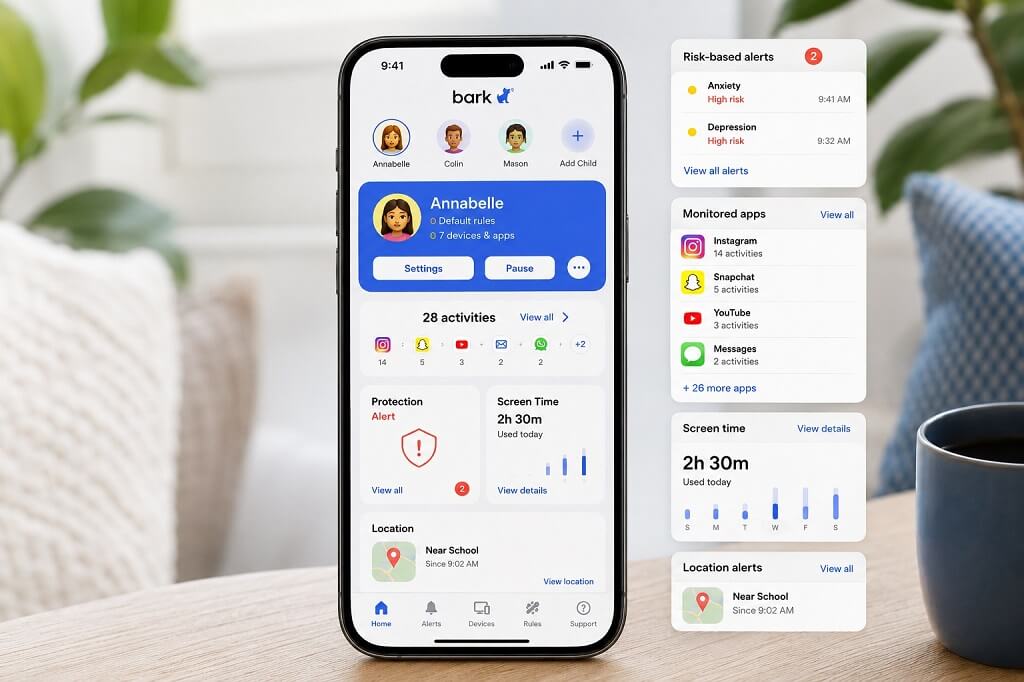
Bark is one of the strongest options for parents who want targeted monitoring instead of full message access.
It also fits families comparing parental controls with the best phone tracking apps, since location tracking is included alongside communication monitoring.
Bark scans more than 30 social media platforms, texts, and email for specific risks. Its monitoring looks for:
- Bullying
- Self-harm
- Sexual content
- Predatory contact
Parents receive alerts when concerning activity is detected rather than full logs of every conversation. That approach allows intervention when needed while preserving more privacy during normal communication.
Bark earned a 9.5 out of 10 rating and was named a leading option for social media monitoring.
Additional controls include screen-time schedules, web filtering, location tracking, and unlimited device coverage.
2. Aura – Best for Overall Digital Safety
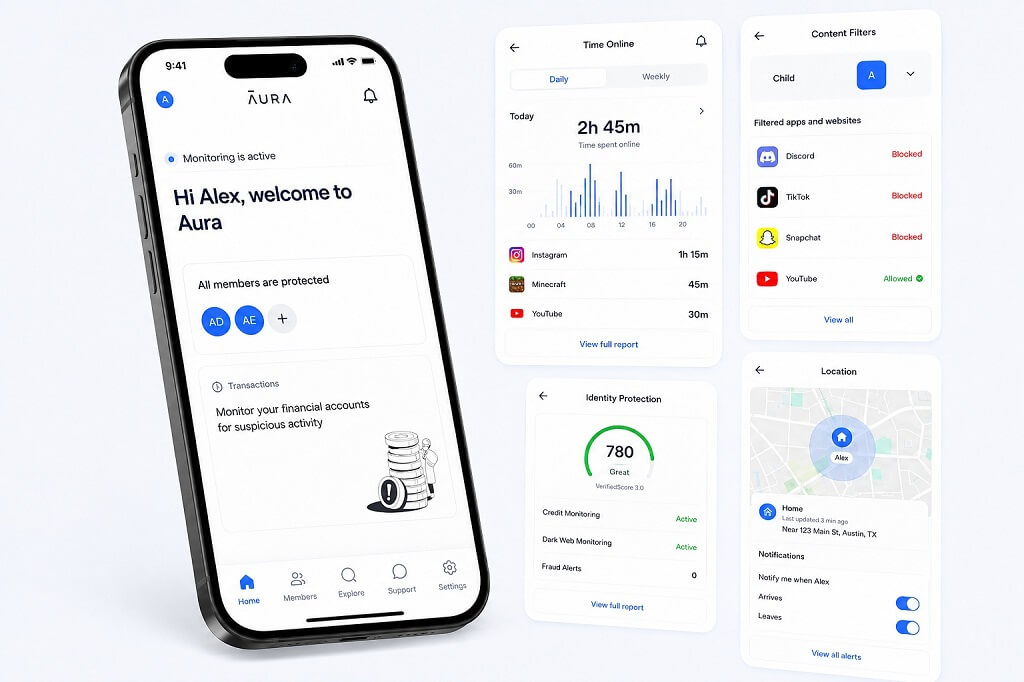
Aura combines parental controls with broader cybersecurity features, making it a better fit for families concerned about device security, personal data, and child safety at the same time.
Instead of focusing mainly on app restrictions or message monitoring, Aura adds protection against several common online threats that can affect an entire household.
Its protection package includes several tools outside standard parental controls:
- Identity theft protection
- Dark web monitoring
- VPN access
- Antivirus protection
Parental features include web filtering, screen-time management, location tracking, and AI-assisted content monitoring.
Parents can use these controls to limit inappropriate websites, manage daily device use, and keep track of a child’s location without relying only on direct communication monitoring.
Aura received a 9.6 out of 10 rating as an all-around parental control option.
Social and message monitoring is less extensive than Bark’s, so it is better suited to families that prioritize broad digital protection over close communication monitoring.
Standalone parental controls cover unlimited devices and start at $8.33 per month with annual billing.
Unlimited device coverage can be especially useful in households where children use several phones, tablets, or computers.
3. Qustodio – Best for Customizable Controls
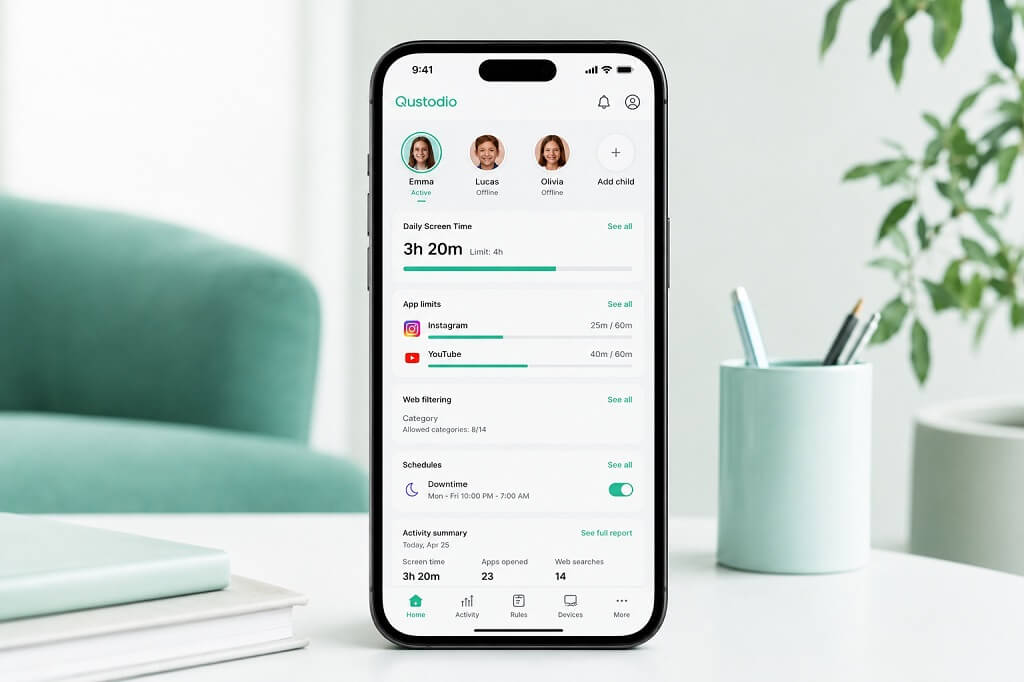
Qustodio gives parents detailed control over app use, browsing, schedules, and device access across iOS, Android, Windows, Mac, and Kindle.
Families can adjust several settings separately rather than applying one rule across every device or day:
- Per-app time limits
- Weekday and weekend schedules
- Internet pausing
- Custom web filtering
- Detailed activity reports
Web filtering covers 29 categories, giving parents more control over which types of content are restricted.
Qustodio received a 5.0 out of 5 rating as a top overall option and a separate 9.3 out of 10 score for cross-platform coverage.
Its Panic Button lets children quickly alert parents and share their location during an emergency. Some advanced monitoring features work only on Android, so device type matters when comparing plans.
4. Norton Family – Best for Web Filtering
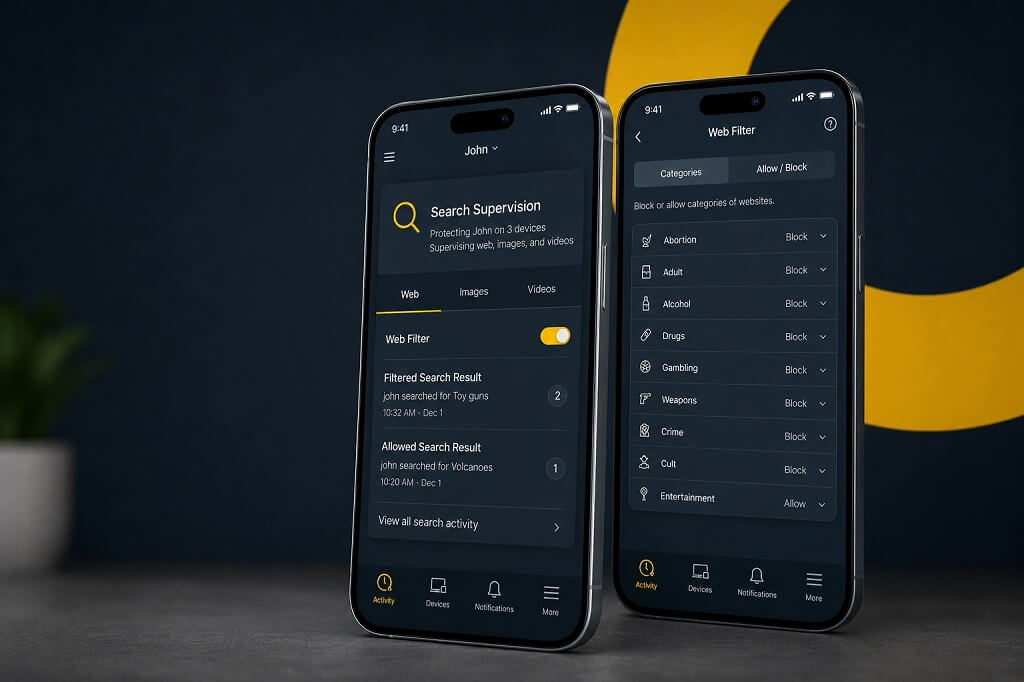
Norton Family is strongest for parents who want detailed control over browsing and search activity.
Its filtering system covers more than 45 content categories, including several high-risk areas:
- Sexual content
- Bullying
- Violence
- Drugs
- Hate speech
- Gambling
- Scams
Parents can choose to allow, warn, or block content. That gives families more flexibility than a simple blocked-or-allowed system.
Filtering continues during incognito or private browsing, and real-time alerts can notify parents about restricted searches.
Norton Family supports up to 15 children and is included with several Norton 360 plans.
5. FamilyKeeper – Best for Simple Monitoring
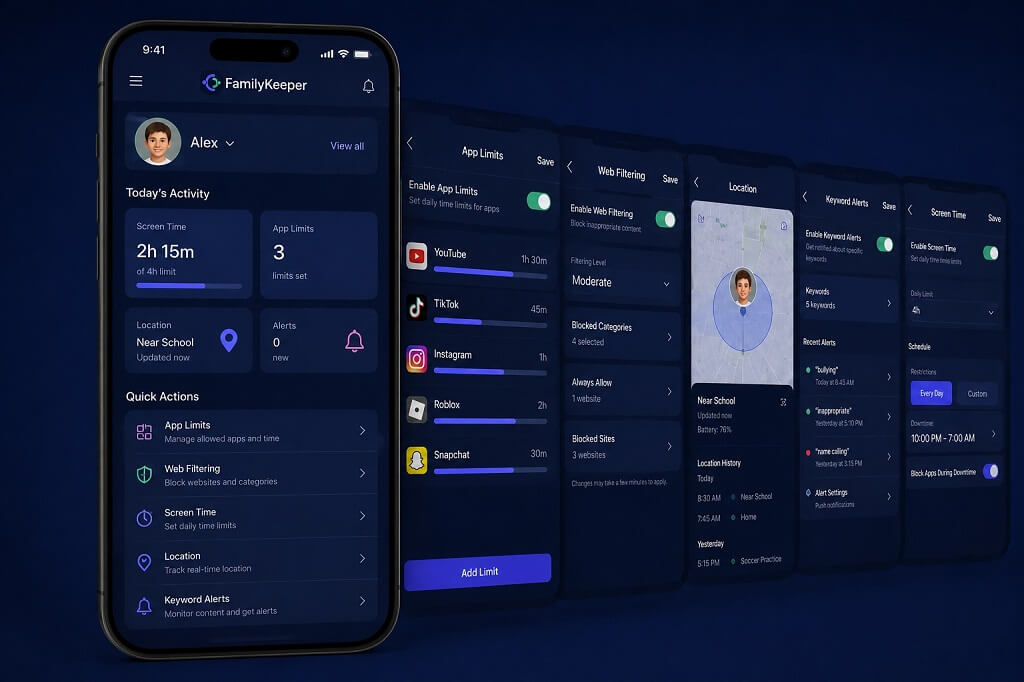
FamilyKeeper is designed for parents who want basic monitoring without complicated setup.
Installation takes about 10 minutes and does not require a desktop computer or advanced technical knowledge.
Core controls cover the main areas most families need:
- App limits
- Web filtering
- Location tracking
- Screen-time management
FamilyKeeper also flags concerning keywords in searches. Parents can respond to specific warning signs instead of repeatedly reviewing complete activity histories.
Unlimited devices are supported on its listed plan, making it practical for larger households.
6. Life360 – Best for Location Safety
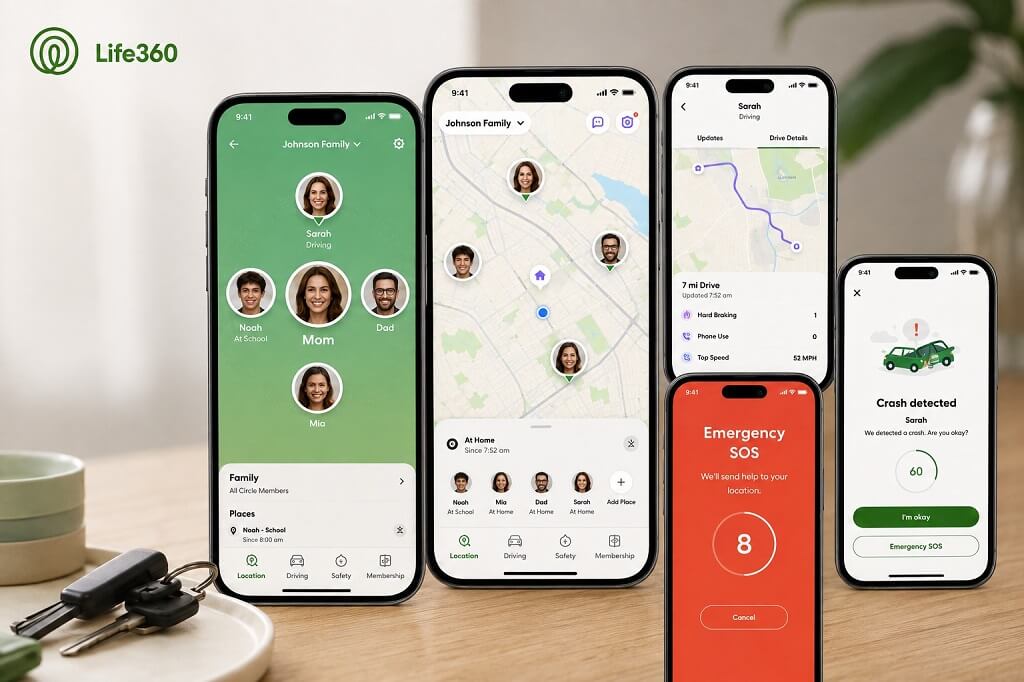
Life360 focuses on physical safety rather than detailed monitoring of messages, browsing, or social media.
Its main safety tools include real-time location sharing, SOS alerts, and crash detection. Crash detection is available even on the free plan.
Bubbles offers a less intrusive way to share location. Children can share a general area instead of an exact pin, giving parents location awareness without constant precise tracking.
Life360 also supports large family groups:
- Up to 99 members can join a Circle.
- Extended family members and caregivers can be included.
- Multiple people can share location information within the same group.
Families that mainly need location and emergency features may find Life360 more appropriate than apps focused on message or content monitoring.
7. Google Family Link – Best Free Option
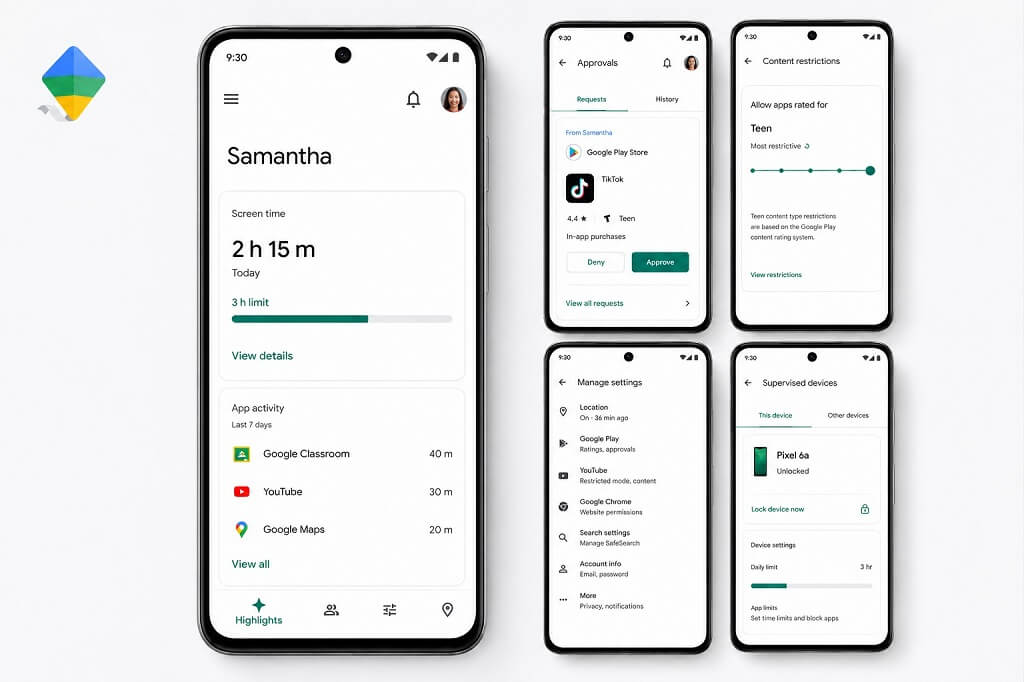
Google Family Link offers basic parental controls without a subscription fee. It works best for younger children who mainly need device limits and content restrictions.
Parents can manage several core controls through the service:
- Screen-time limits
- App approvals
- Content restrictions
- Account supervision
Built-in Android parental controls can be sufficient for children who mainly need screen-time management and basic web filtering.
Family Link is less suitable for parents who need advanced social media monitoring, detailed reporting, or extensive message analysis. Paid services generally provide more tools in those areas.
Summary
No single parental control app is right for every family. Age, device type, online habits, and specific safety concerns should determine which features matter most.
Bark is strongest for targeted communication alerts, Aura for broader digital protection, Qustodio for detailed customization, Norton Family for web filtering, FamilyKeeper for simple setup, Life360 for location safety, and Google Family Link for free basic controls.
Effective parental controls should identify serious risks and enforce reasonable limits without giving parents unrestricted access to every part of a child’s digital life.